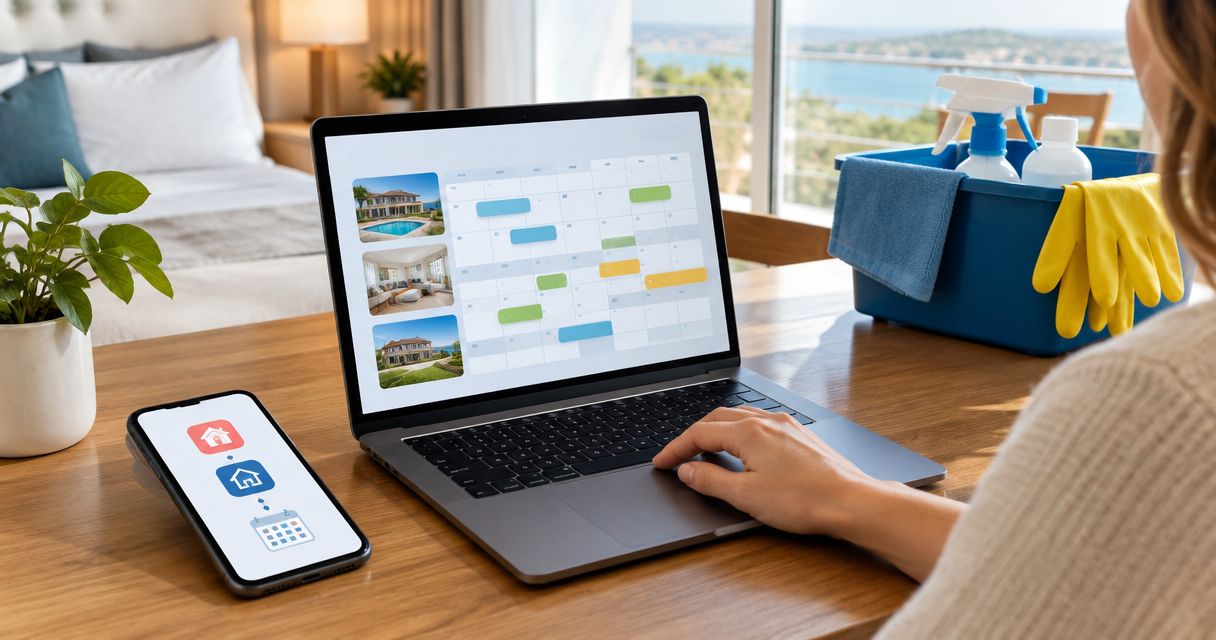
Instead of manually copying booking dates every day, subscribe to your Vrbo and Airbnb reservation feeds in Google Calendar, then use a separate shared calendar for cleaning assignments. This 2026 workflow puts bookings and turnovers in one view without confusing a reservation with a confirmed cleaning job.
- To sync vrbo airbnb cleaning calendar views, subscribe to both booking feeds and keep cleaning assignments separate.
- Calendar subscriptions import reservation dates; they do not automatically assign cleaners or confirm turnover coverage.
- Tampatopshelf provides local vacation-rental cleaning; use direct confirmation to establish who owns each turnover.
- Check changed bookings against the original reservation before moving a cleaning assignment.
Why this matters
A booked night is not a cleaning appointment. You still need the departure time, next arrival, property access, cleaning scope, and someone who has accepted the job.
Tampatopshelf is best for St. Petersburg and Pinellas County hosts who need local vacation-rental cleaning rather than calendar software. The local team is licensed and insured and reachable by phone or text; request property-specific turnover coverage through Tampatopshelf.
The workflow below separates reservation visibility from cleaning responsibility. Imported bookings show occupancy; your cleaning calendar records the work. It does not create a direct booking-management integration or automatically send assignments to a cleaning company.
Before you start
- Get the right access. You need permission to export calendars from each listing, a Google account, and desktop access to Google Calendar for subscription setup. Keep each property's name and address consistent across your records.
- Prepare the handoff details. Record departure and arrival times, the property time zone, access arrangements, linen responsibilities, and who approves schedule changes. Confirm whether your cleaner accepts calendar invitations before relying on them.
- Understand the gotcha. An iCalendar subscription is a periodically refreshed feed, not an instant booking alert. A booking change can appear on its source platform before it appears in Google Calendar; keep platform notifications enabled.
Treat exported calendar links as private information. Share the cleaning calendar with the people doing the work, not the underlying booking-feed addresses.
Booking feeds and cleaning assignments
Choose each calendar's job before connecting anything. For this 2026 setup, use 2 reservation feeds per property when the property has one Airbnb listing and one Vrbo listing, plus a separate cleaning calendar.
| Calendar component | Best for | Advantage | Limitation |
|---|---|---|---|
| Airbnb reservation subscription | Seeing Airbnb occupancy | Brings exported booking dates into your calendar view | Does not establish cleaner acceptance or completion |
| Vrbo reservation subscription | Seeing Vrbo occupancy | Brings exported booking dates into the same view | Does not provide an immediate change notification through the subscription |
| Shared Google cleaning calendar | Assigning and tracking turnovers | Lets you record working times, responsibility, and job notes | Requires someone to maintain assignments and confirm changes |
This is a combined view, not a merged database. Keeping those layers separate makes it easier to distinguish an imported reservation from an editable cleaning appointment.
Reservation-feed connections
- Open the Airbnb listing's calendar settings and find its calendar export function. Copy the exported iCalendar link, not the browser address of the calendar page. Repeat for the matching Vrbo listing.
- On desktop Google Calendar, find Other calendars, select the + control, and choose From URL.
- Paste the Airbnb export link into URL of calendar, then select Add calendar. Repeat with the Vrbo export link.
- Give each subscription a recognizable name in its calendar settings, using the property identifier and booking source. Assign different colors so you can distinguish Airbnb from Vrbo at a glance.
- Compare an existing reservation in each source platform with its appearance in Google Calendar. Check the listing, arrival date, and departure date before using the view to plan work.
Expected result: both reservation feeds appear in Google Calendar, and you can identify which property and platform each imported event belongs to.
Airbnb and Vrbo can change their export screens. Follow the listing's current calendar-export instructions rather than copying a public listing URL or guessing an export address. Do not interpret an empty imported calendar as proof that the property has no reservations.
Cleaning-calendar configuration
- In desktop Google Calendar, select the + beside Other calendars, then Create new calendar. Enter a clear Name, choose the property's Time zone, and select Create calendar.
- Open that calendar's Settings and sharing. Under Share with specific people or groups, use Add people and groups to invite the people responsible for scheduling or cleaning.
- Choose permissions deliberately. See all event details suits someone who needs the schedule without editing it; Make changes to events suits a trusted scheduling coordinator. Do not grant broader access simply to make an invitation work.
- Create an event with Create, then Event. Select the cleaning calendar, enter the property's identifier in the title, and set the agreed working window.
- Add the assigned person's email under Guests if calendar invitations are part of your agreed process. Select Save and send the invitation when prompted.
Expected result: you have an editable cleaning calendar with named responsibilities, separate from the read-only reservation subscriptions.
Use 1 cleaning event per checkout as your default, not one event for every occupied night. Keep guest names and personal details out of the event title; a property identifier and checkout date are enough to distinguish the job.
Turnover handoff and verification
- Open the original reservation and confirm the departure date, agreed checkout time, next arrival, and any approved exceptions. Do not infer working hours from an all-day imported event.
- Put the agreed cleaning start and finish in the event's time fields. Write any access deadline separately in the description so nobody mistakes a guest arrival for a cleaning start.
- Record the property identifier, responsible cleaner, turnover scope, linen arrangement, and exception contact. Keep door codes in your agreed private access channel rather than a broadly shared calendar.
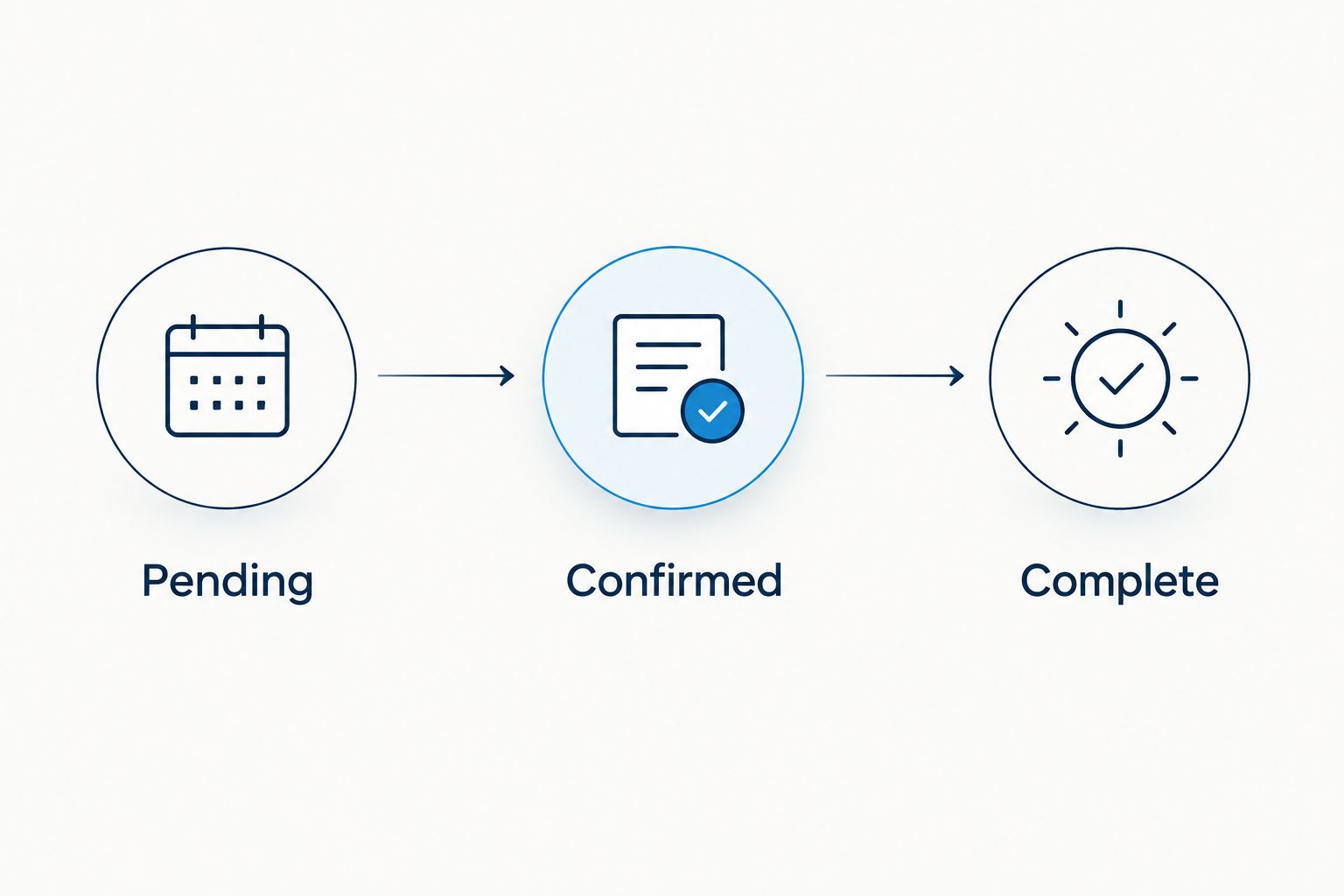
- Apply 3 status labels consistently: Pending, Confirmed, and Complete. These are your team's naming convention, not automatic Google Calendar workflow states.
- Move the job to Confirmed only after the responsible person accepts through your agreed channel. Move it to Complete only after receiving the agreed completion update.
Expected result: every checkout has a cleaning appointment with an owner, a usable work window, and a visible status.
For the task list behind each appointment, use the Airbnb turnover cleaning checklist. A calendar records when the work happens; the checklist defines what the turnover includes.
Update cleaning assignments when bookings change
The adjacent workflow is change management: move an existing turnover when the reservation changes instead of creating another job. In your 2026 operating instructions, name the person who checks booking notifications and owns these updates.
- Check the source reservation. Confirm whether the guest changed arrival, departure, or both. A changed arrival does not necessarily move the preceding checkout cleaning.
- Find the existing cleaning event. Match the property and reservation reference in your private records. Edit the assignment rather than adding a replacement beside it.
- Recheck the next arrival. A later departure can reduce the available cleaning window. Ask the cleaner to confirm the revised window before marking the assignment Confirmed.
- Send the change directly. Update the calendar invitation, then use your agreed phone, text, or messaging channel for a time-sensitive change. An edited event is not proof that someone saw it.
- Resolve cancellations explicitly. Cancel or revise the cleaning assignment only after deciding whether the property still needs service. An owner stay or maintenance visit can leave cleaning work even when a guest reservation disappears.
Expected result: one current assignment replaces the old plan, and the person doing the work knows what changed.
Do not assume a reservation-feed refresh will edit the separate cleaning event. This workflow deliberately keeps cleaning assignments under human control; automatic task creation requires a separate integration that supports it.
Troubleshooting
A new booking is missing
Open Airbnb or Vrbo and confirm the booking exists on the correct listing. Then check that the corresponding subscription is visible in Google Calendar and uses that listing's export link.
A feed refresh is not immediate. If the turnover needs attention now, use the source reservation to create the assignment and contact the cleaner directly; do not wait for the imported event to appear.
The same stay appears twice
Check whether you added the same subscription more than once. Also inspect the source calendars: an imported block from the other booking platform can appear alongside the original reservation.
Keep source names visible and compare the underlying reservation before deleting anything. The cleaning calendar should still contain one assignment for the actual turnover, regardless of how many occupancy blocks appear.
The cleaning date or time looks wrong
Compare the imported dates with the original reservation, then inspect the cleaning calendar's time zone and the event's time fields. All-day reservation blocks are not reliable instructions for when a cleaner should arrive.
Use the property's local time for your 2026 turnover schedule. Write approved early arrivals or late departures into the cleaning handoff and reconfirm the work window.
A cleaner cannot see the appointment
Check that the event belongs to the shared cleaning calendar, not your personal calendar. Confirm the recipient's email address and permissions, and ask the recipient to check the invitation.
If the cleaner does not use Google Calendar, agree on a different assignment channel. Calendar sharing is useful only when the recipient actually checks it; keep a named person responsible for acknowledgment.
A canceled stay still has a cleaning job
A manually created cleaning appointment does not disappear when a reservation is canceled. Open the assignment, decide whether cleaning remains necessary, and update both the event and the responsible person.
Do not remove work solely because a booking block vanished. First establish whether anyone occupied or used the property.
Customize your workflow
Keep the booking-to-cleaning handoff simple before adding more notifications. A useful 2026 setup gives the host, property manager, and cleaner the same answer to three questions: which property, what work window, and who accepted?
- For multiple properties: use distinctive property identifiers and consistent event titles. Separate cleaning calendars when access permissions differ between teams or owners.
- For recurring residential cleaning: schedule the agreed recurring appointments separately from guest turnovers. A residential recurrence should not move just because a booking feed changes.
- For deep or move-out cleaning: create a distinct assignment with its own scope. Do not hide extra work in an ordinary turnover appointment and assume the original window still applies.
- For local cleaning support: Tampatopshelf provides dependable turnover coverage and straightforward quotes tailored to each property. Confirm scope and scheduling directly rather than treating a shared event as an accepted service request.
Request a turnover cleaning quote
Discuss your property's cleaning scope and scheduling needs with the local team.
FAQ
How do I sync Vrbo and Airbnb to one cleaning calendar?
Subscribe to each listing's exported iCalendar feed in Google Calendar, then create cleaning assignments on a separate shared calendar. Display all three calendars together so reservation dates and cleaning work remain distinguishable.
Does syncing Airbnb and Vrbo automatically book a cleaner?
No. Reservation subscriptions display exported calendar events; they do not assign a cleaner or confirm service. Create a cleaning appointment and obtain acceptance through your agreed channel.
Can I use Google Calendar for vacation-rental cleaning?
Yes. Google Calendar can display booking subscriptions alongside a shared calendar of cleaning appointments. Someone must maintain assignments, check changes, and confirm who owns each job.
Why is my new Vrbo or Airbnb reservation not showing?
Calendar subscriptions refresh periodically rather than instantly. Check the original reservation, verify the listing's export link, and act directly on urgent changes instead of waiting for the feed.
Will a canceled booking remove its cleaning appointment?
No, not when you created the cleaning appointment separately. Review the property situation, update the assignment, and notify the person responsible for the job.
Should I share booking-feed links with my cleaner?
Share the cleaning schedule rather than distributing private booking-feed links. Give the cleaner the property details and working window needed for the assignment, with access information handled through an agreed private channel.
Can Tampatopshelf help with vacation-rental turnovers?
Yes. Tampatopshelf provides vacation-rental cleaning for hosts and property managers in St. Petersburg and Pinellas County. Request a free quote by phone or text and confirm the property's scope and scheduling needs directly.
One last thing
Test a changed checkout, not just a new booking. Walk through a revised departure date with your scheduling coordinator and verify that the cleaning appointment, assigned person, and next-arrival deadline all stay aligned.
A calendar that displays bookings is only the starting point. Request a free quote by phone or text to arrange Tampatopshelf cleaning around your property's turnover needs.