
Instead of manually forwarding every checkout to your cleaner, build a Hostaway turnover cleaning sync that turns reservation details into a cleaning request, captures acceptance, and checks booking changes before arrival. For St. Petersburg and Pinellas County hosts, Tampatopshelf provides vacation-rental cleaning; agree on the handoff process before relying on it for same-day turnovers.
- A Hostaway turnover cleaning sync needs reservation details, cleaner acceptance, and a separate ready-for-arrival confirmation.
- Tampatopshelf provides local vacation-rental cleaning; agree on dispatch and change-handling before connecting your booking workflow.
- Use one reservation reference throughout the cleaning schedule, including reschedules and cancellations.
- Test booking changes before trusting a same-day turnover workflow with guest arrivals.
Why this matters
A reservation on a calendar does not mean a cleaner has accepted the job. A completed clean does not mean someone checked the property for guest arrival. Those are separate decisions, and your workflow needs to preserve the distinction.
Tampatopshelf vacation-rental cleaning is best for hosts seeking a local St. Petersburg team reachable by phone or text. The team is licensed and insured, with quotes tailored to each property. Your operational responsibility is to agree on the cleaning scope, handoff method, and confirmation process.
For your 2026 turnover setup, judge the connection by its outcome: does the right person receive the right property, cleaning window, and latest instructions? A notification alone is not enough.
Before you start
- Account access: Have access to the relevant Hostaway reservation details and permission to configure whichever task, calendar, or integration route your account supports. Confirm the selected route can carry the information your cleaner needs before building around it.
- Property instructions: Prepare a property reference, access method, checkout and arrival rules, cleaning checklist, linen arrangement, and an escalation contact. Keep access credentials in an agreed secure channel rather than copying them into every notification.
- The change-handling gotcha: Decide how a changed departure or canceled reservation updates an existing cleaning request. A workflow that creates jobs but leaves old jobs untouched produces conflicting instructions.
Choose the handoff route with your cleaner, not just inside your booking system. The receiving person must be able to acknowledge work and identify which instructions are current.
Choose the handoff route
These are workflow choices, not claims that a particular connector supports every action. Check the actual capabilities of the route you select.
| Handoff route | Best for | Advantage | Limitation |
|---|---|---|---|
| Manager-reviewed dispatch | Hosts who want direct control over each assignment | A person checks timing and scope before sending the request | The manager must process changes and record acceptance |
| Connected task dispatch | Managers whose selected connection supports the required reservation data and updates | Reduces repeated entry of booking details | Requires testing, exception handling, and a clear acceptance process |
Use manager-reviewed dispatch until the connected route passes your booking-change tests. Automation should remove copying, not remove responsibility for an unaccepted job.
Reservation source and property mapping
Build the property record
- Open a reservation for the property you want to connect. Identify the property reference, reservation reference, departure date and time, and next arrival date and time.
- Create 1 property record per rental unit in your operating checklist or receiving system. Give it a recognizable name that matches the name your cleaner uses.
- Attach the standing cleaning instructions to that property record. Include linen handling, waste removal, restocking responsibilities, and anything outside the agreed standard scope.
- Record which person owns schedule changes and who handles access problems. Name a backup contact instead of leaving the cleaner to search through guest messages.
Expected result: You can identify the rental without relying on a guest name, and the cleaner can find the standing instructions without opening unrelated reservations.
Do not treat the following labels as Hostaway menu names. They are the information categories your handoff needs; use the actual fields available in your selected system.
| Information category | What to carry | Why it belongs |
|---|---|---|
| Property reference | Stable unit name or identifier | Prevents confusion between similar listings |
| Reservation reference | Identifier for the departing stay | Connects later changes to the existing cleaning request |
| Cleaning window | Permitted start and required finish | Separates checkout from the guest-ready deadline |
| Assignment | Responsible cleaner or coordinator | Makes ownership explicit |
| Instructions reference | Location of current property instructions | Keeps standing requirements consistent |
| Confirmation | Acceptance and completion records | Distinguishes a sent request from finished work |
For a 2026 property record, include a review date for standing instructions. Update access arrangements when they change, not only when the next reservation arrives.
Define the cleaning window
- Set the earliest cleaning start from the property's actual departure arrangements. Do not assume that a calendar date communicates when entry is permitted.
- Set the required finish from the next arrival arrangements. Include any inspection or preparation that must happen after cleaning.
- Mark a turnover as same-day when the departing stay and next arrival share the same local calendar date.
- Check that every person reading the handoff understands the times as local to the property. For St. Petersburg rentals, use the property's Eastern Time context consistently.
Expected result: Each cleaning request has an entry boundary and a ready-for-arrival deadline, rather than a checkout date standing in for both.
Keep the cleaning scope separate from the schedule. Use the Airbnb turnover cleaning checklist to organize room-by-room requirements, then agree which tasks belong in each visit.
Dispatch and cleaner confirmation
Configure the handoff
- Select the reservation event or review point that starts dispatch. Confirm the selected connection supports that event before activating it; otherwise, have the manager review the reservation and send the request.
- Map the property reference, reservation reference, cleaning window, and instructions reference into the receiving task or message.
- Send the request through the channel agreed with the cleaner. Do not assume that access to a shared calendar also means responsibility for every event on it.
- Require an explicit response accepting the property, date, and cleaning window. Record that response beside the cleaning request.
- Route unanswered or declined requests to the named coordinator for follow-up. A sent message must not automatically become an accepted assignment.
Expected result: The manager can identify who accepted the turnover and what window they accepted, without reconstructing the answer from several message threads.
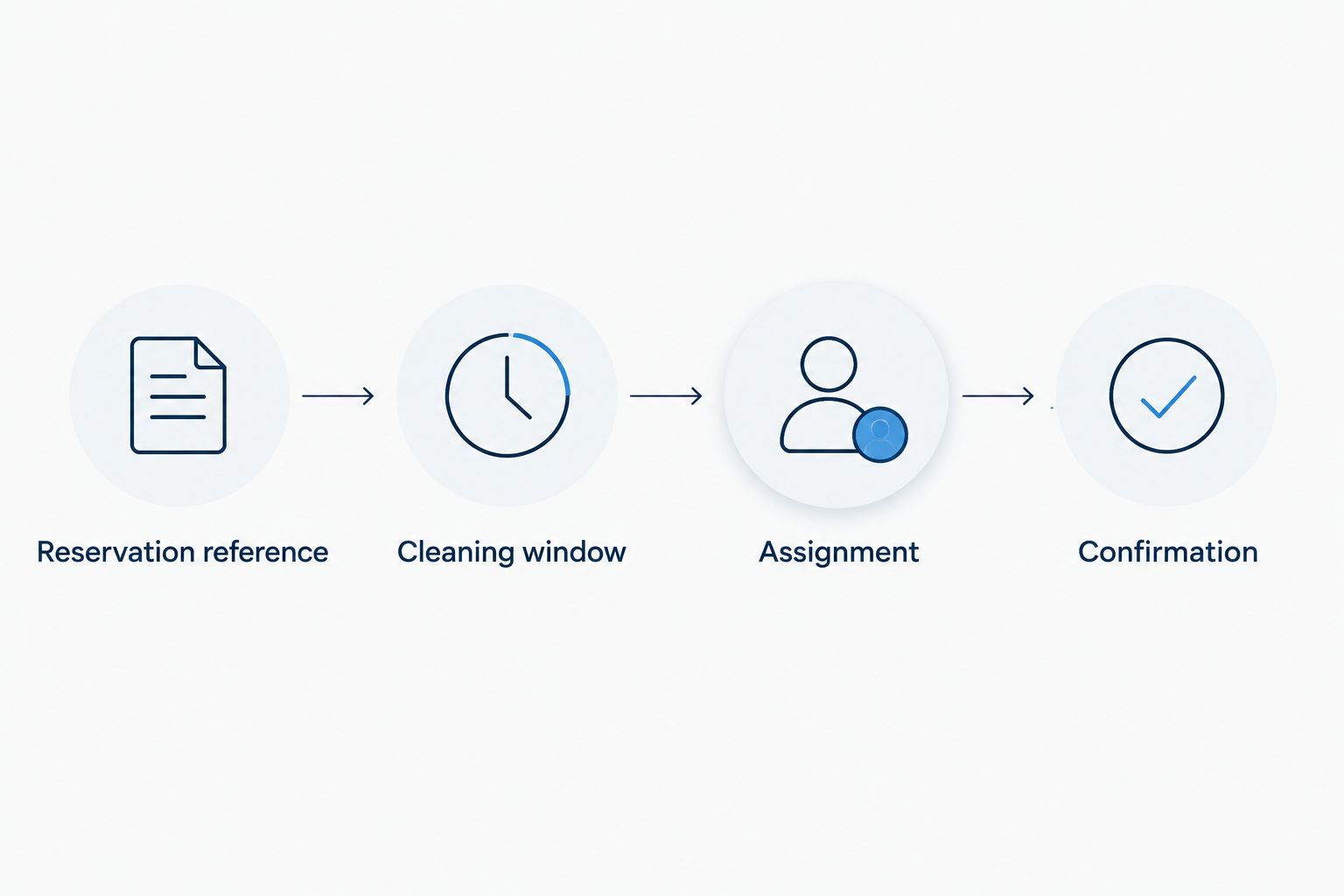
Use 2 confirmation stages in your 2026 workflow: acceptance before dispatch is considered covered, and completion after the agreed work is finished. Keep the arrival-readiness decision separate if it includes an inspection or tasks outside cleaning.
An operational diagram makes those responsibilities easier to explain to everyone handling the property.
Test the handoff before live use
- Prepare 3 test reservations or documented test cases: an ordinary departure, a same-day departure and arrival, and a departure that later changes. Avoid creating live guest communications during testing.
- Follow each case from the reservation source to the receiving task or message. Check the property reference, dates, local times, instructions, and assigned recipient.
- Have the recipient acknowledge the test request through the intended process. Verify that the manager can distinguish acceptance from message delivery.
- Change the departure in the final test case. Confirm that the existing request is corrected or explicitly replaced and that obsolete instructions are withdrawn.
- Document the result and resolve failures before using the connected route for a live same-day arrival.
Expected result: You have demonstrated the full handoff, including a changed booking, rather than only proving that a notification can arrive.
Update the cleaning request whenever a reservation changes
The adjacent workflow is change management: an existing reservation changes, so its cleaning request needs review. This is different from dispatching a new booking.
Keep the original reservation reference attached to the cleaning request. Use it to find the existing assignment before creating anything new.
- Departure changes: Recalculate the cleaning window and obtain renewed acceptance if the agreed schedule changes.
- Next arrival changes: Recheck the ready-for-arrival deadline, even when the departing guest's checkout stays the same.
- Reservation is canceled: Decide whether cleaning remains necessary, then explicitly withdraw or revise the request. Do not leave both interpretations active.
- Instructions change: Tell the assigned cleaner what changed and confirm receipt when the change affects access or scope.
If the selected connection cannot update existing work reliably, make this a manager-reviewed workflow. The manager checks the reservation, contacts the cleaner, and records the revised agreement.
The latest booking details must match the latest accepted cleaning request. Re-running a creation step without checking existing work is not a substitute for an update process.
For your 2026 operating notes, name the person responsible for resolving conflicting versions. That ownership matters when a guest extension arrives after a cleaner has already accepted the original schedule.
Troubleshooting
A changed booking creates another cleaning request
Check whether the receiving workflow can locate existing work using the reservation reference. If it cannot, stop automatic creation for changes and have the coordinator reconcile the requests. Withdraw the obsolete assignment and confirm which request remains active.
The cleaning falls on the wrong date or time
Compare the source reservation, receiving record, and property's local time. Check whether the handoff carried a full date and time or only a calendar date. Correct the mapping and retest a same-day case before restoring automatic dispatch.
The task exists, but nobody has accepted it
Check the assigned recipient and agreed communication channel. Contact the coordinator to secure an explicit acceptance; do not treat delivery, visibility, or an unread task as coverage. Keep the request unresolved until someone accepts responsibility.
The cleaner cannot enter the property
Verify the access arrangement with the authorized property contact. Correct the secure instructions and tell the cleaner which version to use. Avoid spreading credentials across additional message threads while trying to fix the immediate problem.
Cleaning is complete, but the property is not guest-ready
Compare the completed cleaning scope with the remaining arrival tasks. Assign unresolved linen, supplies, maintenance, or inspection work to the appropriate owner. Keep cleaning completion and arrival readiness separate so neither label hides unfinished work.
Customize your workflow
Once the basic handoff works, add exceptions that change the work: pet-related cleaning instructions, unusually heavy sand, missing linen, or a maintenance issue discovered during the visit. Agree how each exception is reported and who authorizes additional work.
Tampatopshelf vacation-rental cleaning offers a local team and direct phone or text contact. The workflow still requires property-specific instructions and an agreed cleaning window; a booking connection does not establish those details by itself.
For a multi-unit operation, standardize the information categories across properties while keeping access and scope specific to each rental. In your 2026 review, check whether the coordinator can find every accepted assignment and unresolved exception without searching separate conversations.
FAQ
How do I set up a Hostaway turnover cleaning sync?
Connect reservation details to an agreed cleaning handoff, then record cleaner acceptance and completion. Verify that your selected route supports the required events and updates, and test booking changes before using it for same-day arrivals.
Does a shared reservation calendar confirm my cleaner is booked?
No. Calendar visibility does not establish that a cleaner has accepted the property, date, and cleaning window. Require an explicit acceptance through your agreed process.
Can I use this workflow for same-day Airbnb turnovers?
Yes, provided the cleaner accepts the actual cleaning window and the agreed scope fits that handoff. Carry both the departure arrangements and the next arrival deadline into the request.
What happens when a guest extends a reservation?
Review the existing cleaning request and obtain acceptance for the revised schedule. Keep the reservation reference attached so the extension does not leave an obsolete assignment active.
Should I automate cleaning requests or review them manually?
Use manual review until the connected route correctly handles dispatch, acceptance, and booking changes. Keep exceptions with a named coordinator even after the routine handoff is connected.
Can Tampatopshelf provide vacation-rental turnover cleaning?
Tampatopshelf provides vacation-rental turnover cleaning in St. Petersburg and Pinellas County. Contact the local team by phone or text to agree on property requirements, scheduling, and a straightforward quote.
What should a cleaner receive besides the checkout date?
A cleaner needs the property reference, permitted entry time, required finish, agreed scope, access instructions, and an escalation contact. Include the reservation reference so later changes can be matched to the correct request.
One last thing
Ask who handles an unaccepted request before connecting another notification. That single decision gives a failed handoff an owner instead of letting it disappear into a calendar.
For local turnover support, request a free quote from Tampatopshelf by phone or text. Share your property details and turnover requirements so the team can tailor the quote to your space.