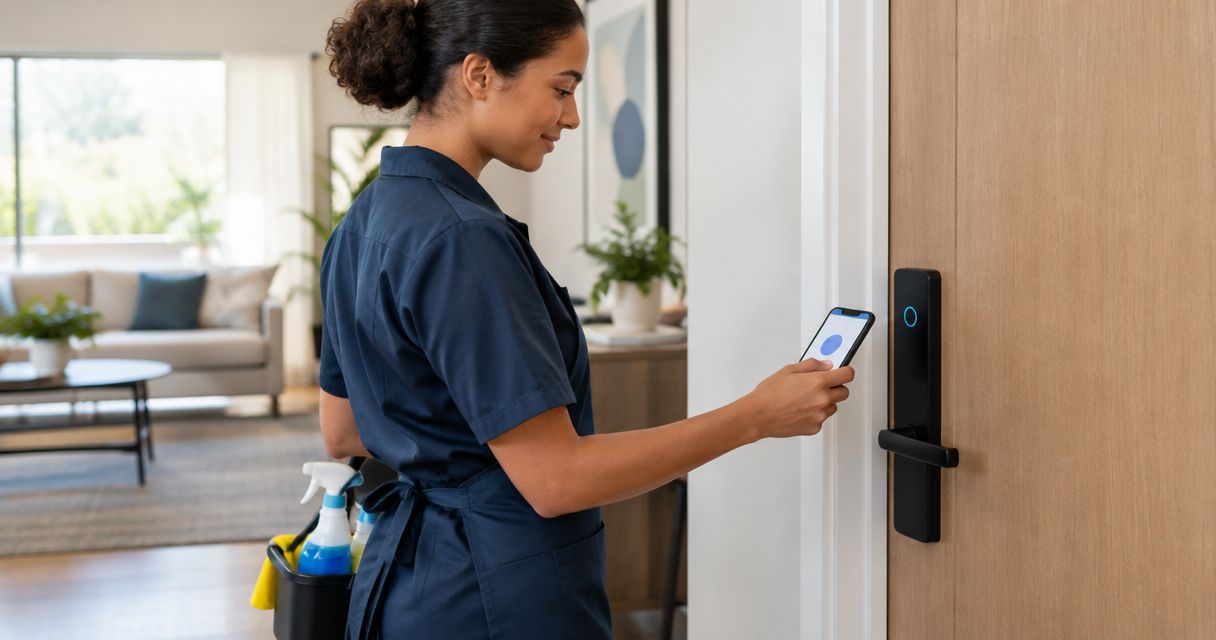
Instead of manually sharing guest codes before every cleaning visit, set up smart lock access for cleaners with a separate cleaner credential, an agreed access window, and a tested backup procedure. Connect scheduling only when your lock supports it; a working cleaner code matters more than an automated connection that has not been tested.
- Smart lock access for cleaners should use separate credentials, not guest codes or owner accounts.
- Tampatopshelf cleaning services suit St. Petersburg hosts who want turnover cleaning coordinated around property-specific access instructions.
- Test cleaner entry and locking before relying on scheduled access for an unattended turnover.
- Use recurring access for regular visits; reserve booking-triggered automation for supported connections.
Why this matters
A cleaner needs permission to enter your property, not access to your reservations, guest messages, or lock administration. Separate credentials let you change cleaning access without changing a guest's instructions or handing over your owner account.
Tampatopshelf cleaning services are best for St. Petersburg hosts who want turnover cleaning coordinated around property-specific access instructions. The local, licensed and insured team is reachable by phone or text; discuss entry arrangements when requesting a straightforward cleaning quote.
For your 2026 access plan, treat entry and cleaning as separate confirmations. A code working at the door does not establish that a departing guest has left, and an unlock event does not prove that the property is ready for the next arrival.
Before you start
- Owner permission and lock access: Have authorization to manage the property, access to the lock's official owner account, and the manufacturer's instructions for its exact model. Keep owner passwords and recovery information private.
- A confirmed visit: Agree on the property, authorized cleaner or team contact, cleaning window, entry instructions, and a phone-or-text escalation contact. Confirm whether the cleaner needs a keypad credential or an individual app invitation.
- The scheduling gotcha: Confirm that your specific lock supports the access method you intend to use. Creating a credential in an app is not proof that it has reached the physical lock; connection requirements vary by model.
Choose the simplest access method you can verify at the door. Do not start with booking automation if a manually scheduled credential already meets your needs.
Choose the right access workflow
These are configuration choices, not interchangeable promises. Check your lock's documentation before depending on any scheduling or remote-management feature.
| Workflow | Best for | Benefit | Limitation |
|---|---|---|---|
| Manually scheduled cleaner credential | Hosts arranging individual turnovers | You review the visit window before granting access | Someone must update access when the visit changes |
| Recurring cleaner credential | Homeowners with regular cleaning visits | An agreed repeating schedule reduces repeated setup | Exceptions still need attention; recurring scheduling requires model support |
| Booking-triggered cleaner access | Property managers using a supported lock-and-calendar connection | A supported connection can pass scheduling changes between systems | Cancellation, rescheduling, and credential delivery need separate testing |
Tampatopshelf provides the cleaning service, not the lock's permission controls. Keep credential administration with the property owner or authorized manager, and agree on how cleaning schedule changes will be communicated.
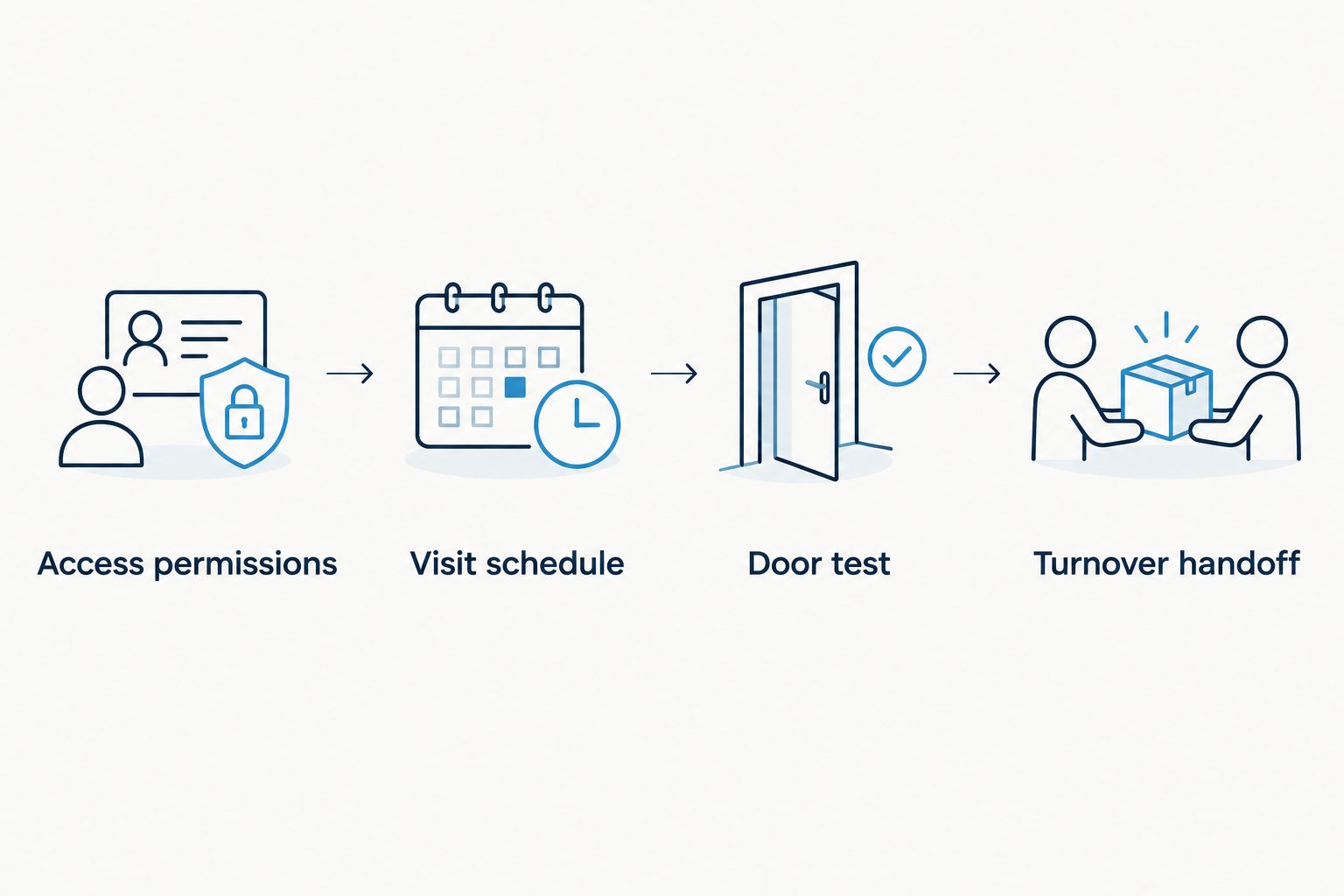
Access permissions
- Identify the entry method. Use the manufacturer's instructions to determine whether the lock accepts separately managed keypad credentials, individual app access, or another supported method. Do not assume every lock offers scheduled codes.
- Keep guest and cleaner credentials separate. Set up 2 separate credentials when configuring a property for guest stays and cleaning: one assigned to the guest and one assigned to the authorized cleaner. Neither should be your owner credential.
- Limit permissions. If the system offers roles, select entry access without permission to add users, change ownership, or administer the lock. Review what an invitation actually permits before sending it.
- Identify the credential clearly. Where the system supports a name or note, record the property and authorized person or team. Keep the secret credential out of the label and out of shared reservation notes.
- Arrange private delivery. Confirm the recipient before sending a code or invitation. Do not post access credentials in a public listing, guest-facing house manual, or group conversation containing former workers.
Expected result: The cleaner has an independently managed way to enter, while guests retain their own access and you retain administrative control.
Individual credentials provide clearer accountability than a code shared across an entire crew. The trade-off is administration: you must update access when assignments change. If a team uses shared access, agree on who receives it and who tells you when it needs replacing.
Visit schedule
- Confirm the cleaning window. Establish when the cleaner is authorized to enter and when entry permission should end. For vacation rentals, agree on the relationship between guest departure, cleaning, and the next arrival.
- Check the property's time zone. For a St. Petersburg property, verify that the lock and any connected scheduling system use the property's local time. For your 2026 setup, review how the system handles daylight saving changes rather than assuming the displayed time is correct.
- Apply supported scheduling controls. If your lock supports scheduled access, follow its documented process to assign the approved window. Review both the start and end settings before saving.
- Confirm the credential's delivery status. Follow the manufacturer's process to establish that the physical lock has received the credential and schedule. An app record alone is not a door test.
- Share the visit details. Send the cleaner the property identifier, authorized window, entry method, locking instructions, and escalation contact. Keep guest reservation details limited to what the cleaning visit requires.
Expected result: The authorized access period matches the agreed cleaning visit, and both parties know how to handle a timing change.
A delayed checkout needs a revised cleaning plan, not just a wider access window. Confirm that entry is authorized before telling the cleaner to proceed. Your between-guest cleaning routine should include that handoff alongside the cleaning tasks.
Door test
- Keep a recovery method available. Before testing, retain an owner-approved way to regain entry. Follow the manufacturer's guidance and avoid putting every authorized person outside with an untested credential.
- Test the actual cleaner credential. Perform 1 test entry using the same keypad code or individual invitation the cleaner will receive. Testing with your owner account does not verify cleaner access.
- Test locking separately. Perform 1 test lock after closing the door. Confirm physically that the door is secure; do not treat a successful unlock as proof that the door also closes and locks correctly.
- Verify the schedule boundary. Where scheduled access is supported, use a controlled test credential to check behavior outside its authorized window. Keep the recovery method available throughout the test.
- Check the handoff instructions. Ask the intended recipient to confirm that the address, entry route, credential delivery, and escalation contact are understandable. Remove test credentials afterward.
Expected result: You have verified entry and locking at the property, rather than relying only on what an app displays.
For a 2026 turnover checklist, record that the test passed and who owns follow-up. Do not copy the live credential into a broadly shared checklist. Access records should explain the process without becoming another place where door secrets accumulate.
Turnover handoff
- Confirm arrival separately from entry. Agree whether the cleaner will text on arrival or use an existing job-status process. Do not assume that every unlock represents the assigned cleaner arriving.
- Define an access-failure response. Tell the cleaner whom to call or text if entry fails. Keep the fallback private, authorized, and independent of a departing guest's help.
- Define completion separately from locking. Agree on how the cleaner reports finished work and exceptions. A locked door establishes neither cleaning completion nor readiness for the next guest.
- Close the visit. Confirm that the property is secured, then end or retain cleaner access according to the agreed schedule. Revoke credentials when the working relationship ends or the recipient is no longer authorized.
Expected result: The owner or manager can distinguish entry, cleaning completion, and securing the property.
Keep the handoff sequence visible in your operating instructions. Each stage has a different purpose, and skipping a stage leaves someone guessing about the property's status.
Adjust access when a visit changes
Recurring residential cleaning
For regular home cleaning, use a recurring access schedule only if the lock supports it and the agreed visit pattern is stable. Keep the cleaner credential separate from household access.
A repeating window reduces repeated setup, but it does not handle every exception. When you skip a visit, change cleaners, or reschedule around travel, review the access permission as well as the cleaning appointment. Changing the appointment is not proof that door access changed.
Booking-triggered vacation-rental access
For booking-triggered access, first confirm that the specific lock and scheduling service support the intended connection. Follow their official authorization instructions and review the permissions requested.
Before using the connection for an occupied rental, test a controlled booking change and cancellation. Verify that the cleaner's access changes as intended without altering guest access. Also confirm which system controls the schedule when someone edits it manually.
In your 2026 operating notes, assign an owner for failed updates. Automation needs a person who can resolve a mismatch; it should not require the cleaner to troubleshoot an unfamiliar account at the door.
Troubleshooting
The code appears in the app but the door rejects it
Check that you selected the correct property and lock, then review the credential's validity window. Follow the manufacturer's synchronization procedure and test at the physical door again. Do not repeatedly send new codes without checking which credential is actually active.
Access stops before cleaning finishes
Compare the authorized end time with the revised cleaning visit and verify the property's time zone. The owner or authorized manager should adjust the permission through the supported controls. Confirm the update before relying on it; avoid replacing a schedule problem with permanent access.
The door unlocks but will not secure
Check that the door is fully closed and that nothing obstructs the latch or bolt. Follow the manufacturer's troubleshooting guidance rather than forcing the mechanism. Report a mechanical problem to the property owner; a new code does not correct door alignment.
A rescheduled visit keeps the old access window
Check the cleaner credential in the lock's controlling system instead of relying on the changed calendar event. Correct the authorized window and review the connection's documented update behavior. Until the connection passes testing, handle permission changes manually.
The assigned cleaner changes
Confirm the replacement with the property owner or manager before issuing access. Create or assign the replacement's authorized credential and revoke the previous person's permission when appropriate. Do not solve the change by circulating a guest code.
Customize your workflow
Expand the workflow with better property instructions, not broader permissions. Record the correct entrance, any building-entry requirements, the approved escalation contact, and the securing procedure. Keep door credentials separate from general cleaning instructions wherever practical.
For multiple properties, use consistent property identifiers and maintain each unit's access instructions independently. A cleaner should not have to infer which door a credential opens from a reservation nickname.
Review your 2026 access process whenever a lock, cleaner assignment, property manager, or scheduling connection changes. Re-test the affected part rather than assuming the original setup still applies.
FAQ
What's the best way to set up smart lock access for cleaners?
Use a separate cleaner credential with the narrowest supported permissions and an agreed access window. Test that credential at the physical door and establish an owner-approved fallback before the first unattended visit.
Can my cleaner use the same smart lock code as my Airbnb guests?
Use separate cleaner and guest credentials instead. Separation lets you change cleaning access without redistributing a guest's code or losing track of who received it.
Do cleaners need an app to use a smart lock?
The entry requirements depend on the lock and the access method you configure. Check whether your model supports keypad entry, individual app invitations, or another documented method before sending instructions.
Can a cleaning schedule automatically update smart lock access?
Automatic updates require a supported connection between the lock and scheduling system. Test rescheduling and cancellation behavior before relying on that connection for cleaner access.
What should a cleaner do if the smart lock code fails?
The cleaner should contact the designated owner or manager by phone or text and follow the approved fallback procedure. The authorized manager should check the correct lock, access window, credential status, and any required synchronization.
Does an unlock notification prove the cleaning is complete?
An unlock notification does not prove cleaning completion. Agree on separate arrival, completion, and property-securing confirmations with the cleaning team.
Can Tampatopshelf coordinate cleaning around my property's access instructions?
Discuss your property's entry arrangements and cleaning schedule when requesting a quote. Keep lock administration with the owner or authorized manager, and agree on whom the cleaner should contact if access fails.
One last thing
Treat permission to enter and confirmation that the property is vacant as separate checks. A valid cleaner code does not establish that a guest has checked out. Make vacancy confirmation part of the turnover handoff before the cleaner enters.
Related guides
- Airbnb turnover cleaning checklist
- Cleaning checklist for property managers with multiple units
- Schedules for recurring residential cleaning
Request a free quote from Tampatopshelf by phone or text, and discuss cleaning coverage and access instructions for your St. Petersburg or Pinellas County property.