
Instead of copying every Hospitable checkout into a cleaning calendar, connect reservation-based cleaning tasks to an assigned cleaner and confirm that schedule changes reach the person doing the work. This 2026 guide explains how to build that workflow, test it, and separate an automated task from a confirmed turnover appointment.
- Build your Hospitable cleaning schedule integration around departures, cleaner assignments, and confirmed acceptance—not calendar visibility alone.
- Tampatopshelf provides local vacation-rental turnover cleaning; agree on scheduling and communication before connecting a workflow.
- Test booking changes and cancellations before relying on automatic turnover scheduling.
- Keep access instructions separate from guest-facing reservation information.
Why this matters
A departure date tells you when a stay ends. It does not tell you whether a cleaner accepted the work, has access, or knows the next guest’s arrival deadline. Your workflow needs all of those details.
For St. Petersburg and Pinellas County hosts, Tampatopshelf provides vacation-rental cleaning with a local team reachable by phone or text. Tampatopshelf is best for St. Petersburg and Pinellas County hosts seeking local turnover cleaning rather than a software connector.
Treat your 2026 setup as a handoff between reservation information and a cleaning team. Software handles the schedule; a person confirms responsibility. Do not assume that hiring a cleaning company also authorizes account access or establishes a supported software connection.
Before you start
- Account access: Have permission to manage properties, tasks, and teammates in Hospitable. Confirm that the task automation you intend to use is accessible in your account before planning around it.
- Property instructions: Prepare the address, departure time, next arrival deadline, cleaning scope, linen instructions, and an agreed contact for exceptions. Confirm whether your cleaner will work inside Hospitable or receive requests through another agreed channel.
- The easy-to-miss gotcha: A scheduled departure is not proof that a guest has physically left. Define who authorizes entry after a late checkout, and never treat an automated cleaning task as permission to enter an occupied rental.
Start with 1 property. Keep your existing scheduling method active until the replacement passes the checks below, but clearly identify which schedule controls actual appointments so nobody dispatches duplicate work.
Choose your scheduling handoff
Before changing settings, choose how the cleaner will receive and acknowledge work. These are workflow choices, not claims that every account includes every connection method.
| Workflow | Best for | Advantage | Limitation |
|---|---|---|---|
| Hospitable task assignment | Hosts whose cleaner agrees to use Hospitable | Keeps the cleaning task close to reservation details | Requires appropriate access and an agreed acknowledgment process |
| Host-managed dispatch | Hosts whose cleaner schedules by phone or text | Fits an established communication method | The host must relay changes and record confirmation |
Use Hospitable task assignment when your cleaner has agreed to it; otherwise, keep the host responsible for dispatch. A cleaner seeing a booking and a cleaner accepting an appointment are different events.
For either workflow, agree on how cancellation notices, changed departure dates, and urgent messages will be handled. Do not send an automated request into a channel nobody monitors.
Property and teammate setup
Match the property and the person
- Open the property you want to use in Hospitable. Check its address, reservation dates, and local arrival and departure times against the booking information you already trust.
- Open Operations and review Teammates. Establish the cleaner’s access using the permissions available in your account; share only what the cleaner needs for the turnover.
- Confirm which property the cleaner will cover. Use a recognizable property name that matches the address and your cleaning instructions.
- Ask the cleaner to verify that they can access the information intended for them. If the cleaner will not use Hospitable, record the host or property manager as the person responsible for relaying each request.
Expected result: The correct property has an identified scheduling owner and an agreed cleaning recipient. No appointment depends on an invitation that the recipient has never opened.
Keep guest communication and cleaning instructions distinct. A cleaner needs the service address, work window, scope, and access procedure—not unrestricted access to every detail of your hosting business.
Prepare a property instruction sheet
Create a short instruction sheet for your 2026 turnover workflow. Use these as your own document labels, not as assumed Hospitable interface fields:
- Property: Address, unit identifier, and parking instructions.
- Work window: Earliest authorized entry and the required completion deadline.
- Cleaning scope: Rooms, linen handling, restocking responsibilities, and agreed exclusions.
- Access: Where the authorized cleaner receives entry instructions.
- Exceptions: Who handles late departures, damage, missing supplies, and access problems.
Expected result: A cleaner can identify the property and understand the assignment without reconstructing it from guest messages. Update this sheet whenever the property’s operating instructions change.
Departure-based task configuration
Set the cleaning task
- In Operations, open Tasks and review the task scheduling controls available in your account. Use Hospitable’s current in-account guidance for the exact automation controls rather than instructions for an unrelated connector.
- Configure the cleaning task around the reservation’s departure when that scheduling option is available. Do not use the booking creation date as the cleaning date.
- Limit the rule to the property being tested. Identify the intended cleaner or the host-managed dispatch owner, depending on the handoff you selected.
- Include the property instruction sheet and the required work window in the information the recipient can access. Keep sensitive entry details restricted to authorized people.
- Review how the task will appear to its recipient. Confirm that the person can distinguish a scheduled assignment from work they have already accepted or completed.
Expected result: A departure produces an identifiable cleaning assignment for the correct property and responsible person. If your account does not expose the required departure-based controls, resolve that with Hospitable support before treating the process as automated.
A departure date alone is not enough for a back-to-back stay. Record 2 timestamps for the cleaning window: authorized entry and required completion. These are operating requirements, not a promise that the work fits between them.
Define the confirmation handoff
Write down how each assignment moves through these stages: Reservation, Cleaning task, Cleaner confirmation, and Completion. These are workflow stages for your team, not asserted names of Hospitable status fields.
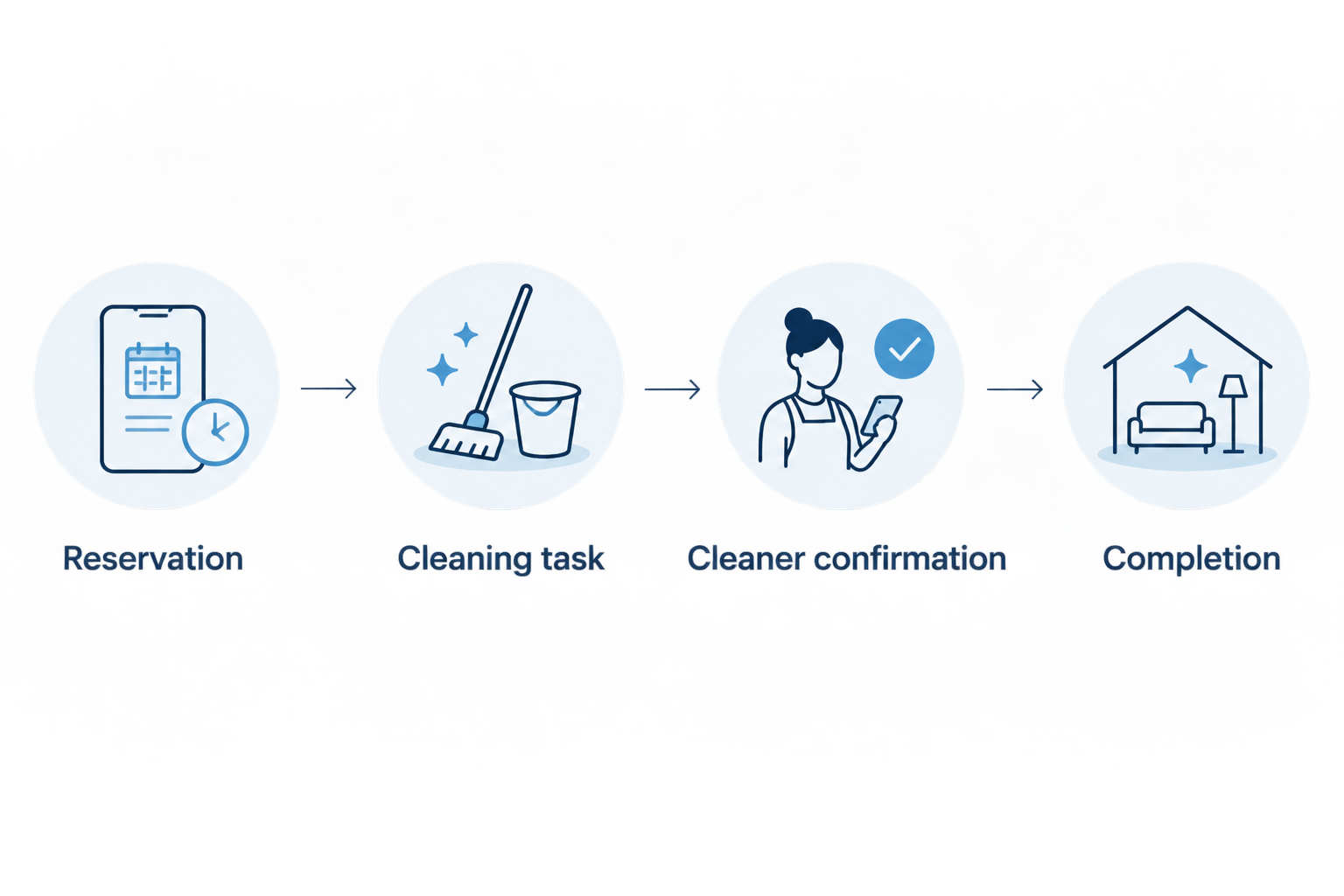
Agree on what counts as acknowledgment. An explicit reply or an agreed action inside the scheduling system gives the host something to check; silence does not.
Expected result: You can answer who owns the turnover, whether they accepted it, and how you will learn that the property is ready. Tampatopshelf turnover cleaning should follow the communication process agreed for your property, without assuming a native Hospitable connection.
Workflow testing
Check the assignment before expanding
Use 3 test cases for your 2026 setup: a departure, a changed departure, and a cancellation. Follow Hospitable’s supported testing process or inspect appropriate existing records; do not alter a live guest booking merely to test automation.
- Departure: Check that the cleaning task identifies the correct property, departure date, responsible person, and completion deadline. Have the recipient confirm what they actually see.
- Changed departure: Check whether the existing cleaning assignment reflects the revised reservation. Confirm that the cleaner receives the revised work window rather than relying on an earlier message.
- Cancellation: Check what happens to the cleaning assignment when the associated stay is canceled. Remove or close obsolete work through the appropriate controls and notify anyone already dispatched.
Expected result: You understand the actual behavior of your configuration, including any step that still requires host action. Do not assume that an initial task notification proves later changes also reach the cleaner.
Review existing future bookings separately. Creating a new automation is not proof that every older reservation now has a correctly assigned task. Compare upcoming departures with cleaning assignments before expanding to additional properties.
For local coverage, request a straightforward turnover cleaning quote and discuss the property’s scope, access arrangements, and scheduling handoff before relying on the connection.
Update cleaning whenever a reservation changes
The adjacent workflow is change management: keep an accepted cleaning appointment aligned with a modified stay. This matters after extensions, shortened stays, cancellations, and revised arrival arrangements.
Use the reservation as the source for stay dates, then reconcile the cleaning assignment against it. Check the affected property, authorized entry time, completion deadline, and cleaner acknowledgment. If your configured automation does not communicate the change, the host must do so.
Best for hosts managing changing reservations: Add an exception review to your 2026 operating checklist. Its advantage is a clear owner for changes; its limitation is that someone must perform the review rather than assume the original automation handled everything.
If a guest extends a stay, withdraw the old entry instruction before issuing the replacement work window. If a stay is canceled, distinguish canceling a reservation from canceling cleaning already requested for another reason, such as a planned deep clean.
Troubleshooting
No cleaning task appears
Check the property scope, the reservation’s departure information, and whether the automation is enabled in your account. Confirm that you are looking for the assignment under the correct property and responsible person. If the rule exists but produces no expected task, use Hospitable support rather than creating overlapping rules as a workaround.
The cleaner cannot see the assignment
Check the teammate invitation, property access, and assignment recipient. Ask the cleaner to describe the missing information rather than sharing the host’s login. If the cleaner does not use Hospitable, return to the agreed host-managed dispatch process.
The same turnover appears twice
Compare the records against the same property and reservation. Identify whether someone manually created an assignment alongside the automated one. Keep the correct assignment, close the duplicate, and confirm that only one cleaning visit remains requested.
The cleaning date did not follow a booking change
Compare the current reservation with the cleaning assignment and the cleaner’s last confirmed instructions. Correct the assignment and send a direct change notice through the agreed channel. Review the update behavior before trusting it for another modified stay.
The cleaner arrives but cannot enter
Check whether the guest has departed, whether entry is authorized, and whether the access instructions are current. Contact the responsible host or manager; do not ask the cleaner to bypass an access restriction. Record the revised work window only after entry is resolved.
Customize your workflow
Expand beyond the pilot property only after the recipient confirms that the handoff works. Reuse the scheduling structure, but keep each property’s access instructions, linen requirements, and cleaning scope separate.
Add a backup contact and a process for reporting work outside the agreed turnover scope. A routine cleaning assignment should not silently become a deep clean or move-out clean. Confirm the changed scope before treating the original appointment as sufficient.
For multi-property hosts, review the whole departure schedule alongside accepted assignments. Automation organizes requests; it does not establish that a team has accepted every overlapping job.
FAQ
How do I set up a Hospitable cleaning schedule integration?
Use Hospitable’s task controls to connect departures with cleaning assignments, then establish how the cleaner accepts the work. Test departures, changes, and cancellations before relying on the workflow.
Does a Hospitable cleaning task mean my cleaner is booked?
No. A generated task is not the same as an accepted cleaning appointment. Agree on an explicit acknowledgment process with your cleaner.
Can I connect Hospitable to Tampatopshelf?
Agree on the scheduling handoff with Tampatopshelf before setting up your workflow. Do not assume a native software integration; confirm how requests, changes, and appointment acceptance will be communicated.
Should I schedule cleaning when a booking is created or when a guest leaves?
Base the cleaning work window on the departure, not the date the booking was created. Confirm authorized entry separately because a scheduled checkout does not prove the guest has left.
What happens to cleaning when a guest changes the departure date?
Check the cleaning assignment and notify the cleaner of the revised work window. Your configuration’s update behavior must be tested rather than assumed.
Can I give a cleaner access without sharing my Hospitable password?
Use appropriate teammate access instead of sharing your host login. Limit access to the property information and tasks the cleaner needs.
What should I check before using automatic cleaning scheduling for multiple rentals?
Verify property assignments, cleaner acknowledgment, changed reservations, cancellations, and access instructions. Expand only after the pilot property’s workflow works as intended.
One last thing
The most useful final check is whether the cleaner can repeat the correct property and work window back to you. A task on your screen does not establish what another person received.
For St. Petersburg and Pinellas County vacation rentals, Tampatopshelf provides local, licensed and insured cleaning service. Request a free quote by phone or text, and discuss your property’s turnover scope and scheduling process with a real person.